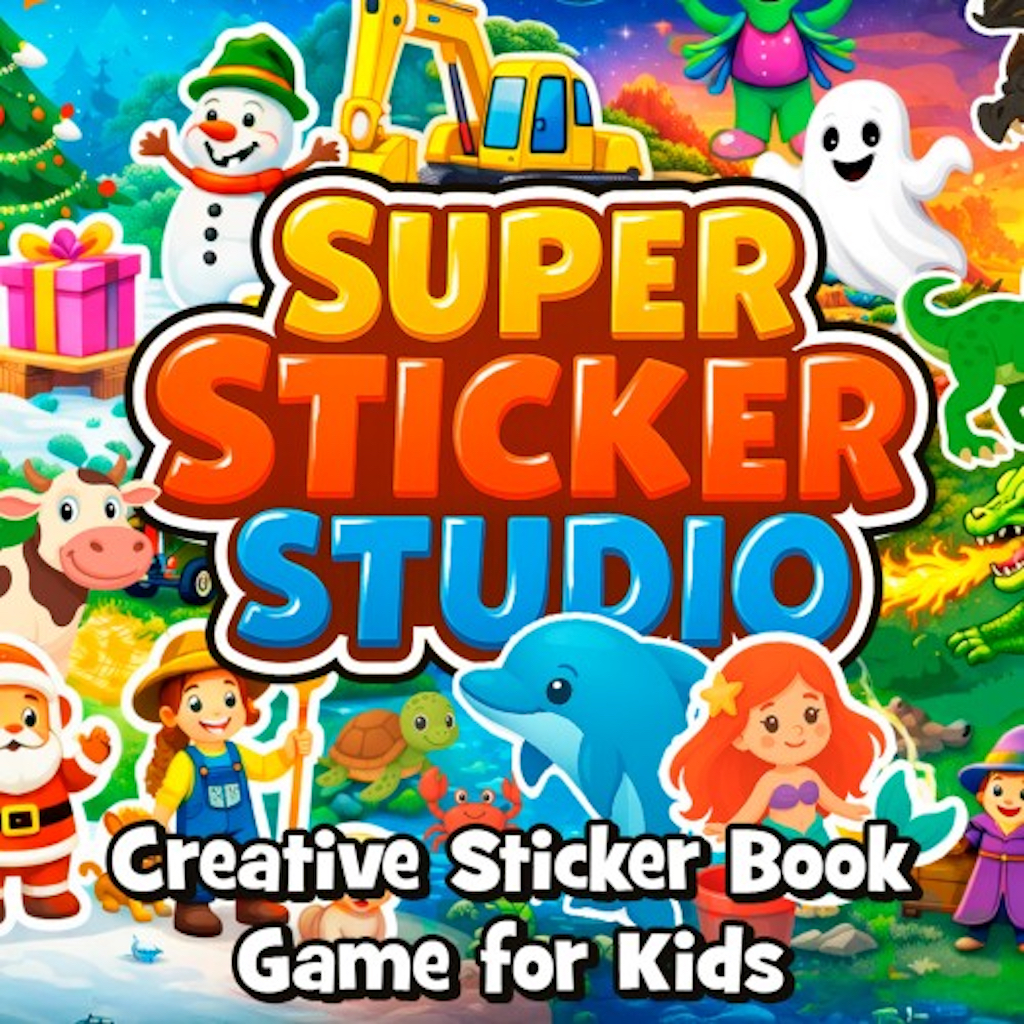
In a marketplace crowded with reflex-heavy platformers and sprawling open worlds, it’s easy to forget that some players simply want to create. Super Sticker Studio – Creative Sticker Book Game for Kids, developed and published by McPeppergames, isn’t chasing high scores or boss fights. It’s chasing imagination.
Released on Nintendo Switch on February 12, 2026 (following a December 2025 PC debut under the title Super Sticker Studio – Creative Fun for Everyone), this digital sticker sandbox positions itself as a safe, relaxing creative outlet for toddlers, children, and even nostalgia-driven adults.
There are no enemies. No timers. No fail states.
Just stickers—and a blank canvas.
A Toybox of Themes
The first thing you notice when booting up Super Sticker Studio is sheer variety.
Sticker categories span a wide range of child-friendly themes:
- Christmas scenes with Santa, elves, and reindeer
- Dinosaurs and prehistoric landscapes
- Space adventures with rockets and aliens
- Knights & castles fantasy worlds
- Construction vehicles and farm animals
- Halloween, ocean & beach, plants & flowers, and more
The quantity is impressive. Hundreds of colorful motifs are available from the outset, creating a digital equivalent of an overstuffed sticker drawer.
For younger players, that abundance sparks immediate creativity. For adults revisiting childhood sticker books, it triggers a surprisingly strong wave of nostalgia.
Beyond Drag and Drop
What elevates Super Sticker Studio above basic sticker apps is its layer and transformation system.
Stickers aren’t just placed—they can be:
- Resized
- Rotated
- Mirrored horizontally or vertically
- Layered with depth stacking
- Reordered for foreground/background control
Add speech bubbles, and suddenly the canvas transforms into a simple comic builder.
These tools are intuitive but surprisingly flexible. Kids can stack dinosaurs atop castles or make tractors float in space. Adults can experiment with composition and visual balance.
The layering system is particularly strong. It encourages spatial awareness and creativity without overwhelming the interface.
Designed for Little Hands
Accessibility is clearly a priority.
The game is optimized for touch controls on Switch and mobile devices. Dragging stickers feels natural on the touchscreen, and large UI elements reduce accidental taps.
Menus are uncluttered. There’s no complex file management system. Saving and loading scenes is straightforward.
Importantly, there are no intrusive microtransactions or online elements. Parents can confidently hand over the controller knowing the experience is self-contained and child-safe.
For toddlers especially, the lack of pressure is key. There’s no “wrong” way to create.
Digital Greeting Cards
One of the standout features is the ability to export creations as digital greeting cards.
Whether it’s a birthday message, Christmas card, or Halloween comic strip, players can save their scenes as images to share with friends and family.
This feature adds purpose to creativity. Scenes aren’t just static—they become gifts.
For parents, this opens opportunities for kids to craft personalized holiday messages. For nostalgic adults, it offers a lighthearted way to design whimsical digital postcards.
It’s a small addition, but it broadens the appeal significantly.
Relaxation Factor
Super Sticker Studio leans heavily into the “no rules, just fun” philosophy.
There’s no progression system, no unlock grind, no narrative arc.
This absence of structure will divide players.
For young children, it’s perfect. Creativity flows freely without performance anxiety.
For older players seeking deeper engagement, the lack of goals may feel limiting.
Still, as a relaxation tool, it works beautifully. Placing stickers, experimenting with layers, and crafting mini-scenes has a calming rhythm.
It’s digital arts and crafts—minus the glue mess.
Presentation and Performance
Visually, the stickers are bright, bold, and cartoonish. They avoid excessive detail in favor of clarity and charm.
On Nintendo Switch, performance is smooth. The interface remains responsive even when scenes become densely layered.
Load times are minimal, and saving projects is quick.
The soundtrack is light and unobtrusive—soft background music that supports creativity without distracting.
Where It Feels Limited
Despite its strengths, Super Sticker Studio is undeniably simple.
There’s no advanced drawing tool. No custom sticker creation. No animation options.
While layering and transformation tools offer flexibility, long-term replay value depends entirely on player imagination.
Older kids may outgrow it quickly. Adults seeking deeper design capabilities might wish for more advanced features.
Additionally, the absence of themed challenges or prompts means some players may struggle with creative direction.
A few optional “scene challenges” could have added gentle structure without undermining the sandbox nature.
A Safe Space for Creativity
What Super Sticker Studio excels at is accessibility.
It removes barriers between idea and execution. Drag. Drop. Adjust. Smile.
In a world where many games are designed around competition and progression, this title chooses softness.
It’s especially valuable for:
- Toddlers exploring digital creativity
- Young children practicing storytelling
- Families creating shared projects
- Adults seeking stress-free creative downtime
It may not revolutionize digital art apps, but it doesn’t try to.
It simply provides a warm, welcoming creative space.
Final Verdict
Super Sticker Studio – Creative Sticker Book Game for Kids is a charming, accessible digital sandbox that prioritizes imagination over mechanics. Its wide sticker variety, intuitive touch controls, and layered editing tools make it ideal for young players. The greeting card export feature adds meaningful purpose to creations.
However, limited depth and the absence of structured content may reduce long-term engagement for older audiences. As a family-friendly creative tool, it succeeds. As a fully-featured design suite, it remains intentionally lightweight. Sometimes, though, a blank canvas and a box of stickers are all you need.